Barcode Generator Tool
Our Barcode Generator Create professional barcodes instantly – Customize, download, and use for your business needs
Generate Your Barcode
Fill in the details below to create your custom barcode
Your Barcode
Multiple Formats
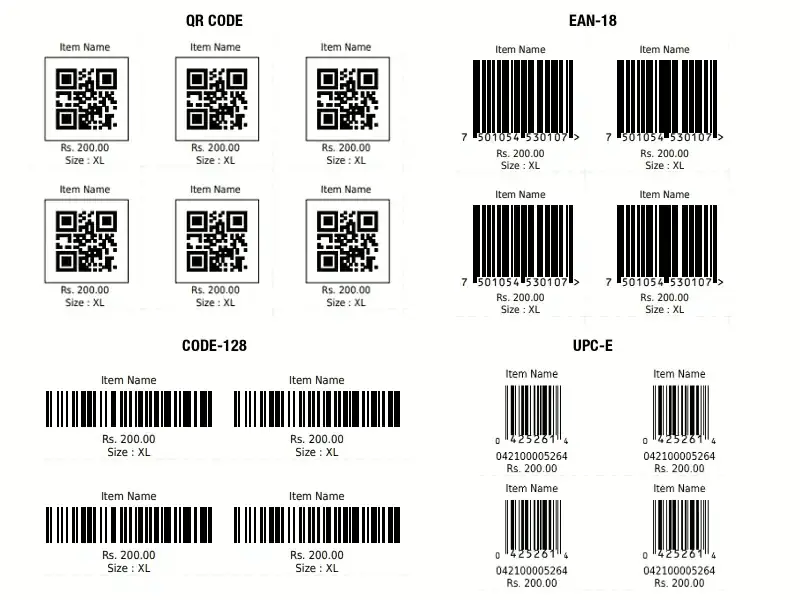
Generate Code 128, EAN-13, UPC, Code 39, ITF, and MSI barcodes.
Customizable
Change colors, sizes, and appearance to match your brand.
Export & Download
Download your barcodes as PNG images for printing or digital use.
Free & Web-Based
No installation required, works on any device with a browser.
How to Generate Barcodes
Enter Your Data
Type the text or numbers you want to encode in the barcode. Make sure it matches the requirements for your selected barcode type.
Customize Appearance
Adjust colors, line width, and height to create a barcode that fits your design needs.
Generate & Download
Click the generate button to create your barcode, then download it as a PNG image for use in your projects.
📦 Barcode Generator Tool:
🎨 Design & UI Requirements:
A Barcode Generator Tool is an essential utility that allows users to instantly create professional, scannable barcodes for products, business use, inventory systems, packaging, billing, digital files, and more. In today’s fast-moving digital world, barcodes play a powerful role in automation, accuracy, and time-saving data processing. With the help of an online barcode generator, anyone—from small business owners to eCommerce sellers, developers, students, and warehouse managers—can create barcodes within seconds without needing any advanced design or technical skills.
Our Online Barcode Generator is designed to be fast, user-friendly, and fully responsive. It supports multiple popular barcode formats including Code128, Code39, EAN-13, UPC-A, QR Codes, PDF417, ITF, and DataMatrix. Whether you want to generate barcodes for products, shipping labels, price tags, asset management, student IDs, business cards, or file tracking, this tool gives you complete flexibility and accuracy.
One of the biggest advantages of this tool is its simplicity. You only need to enter text or numeric data into the input box, select your desired barcode type, and click the generate button. Within a moment, a clear, high-resolution barcode will appear on the screen. You can then download the barcode as PNG, JPG, or PDF, or print it directly for labels and packaging. This saves hours of manual work and eliminates errors that commonly occur when using offline or outdated tools.
Our Barcode Generator Tool also ensures professional quality output, making every barcode fully scannable by POS systems, mobile scanners, and apps like Google Lens, Paytm Scan, and Amazon Scanner. The generated barcodes follow industry standards, ensuring compatibility for businesses, retailers, and manufacturing units.
Modern, minimal, and professional interface.
Use blue and white theme matching BFS DUNIYA’s design style.
Include animated button hover effects and smooth barcode preview transitions.
Add a floating sidebar or navbar with links to other tools (e.g., Word Counter, Image to PDF, Image to Text, YouTube Analytics).
Include breadcrumbs, meta schema, and structured data for SEO.
🪄 Keyword Strategy:
Focus keyword: Online Barcode Converter Tool
Secondary keywords: Free Barcode Maker, Barcode Decoder, Barcode Generator Online, Create Barcode from Text, QR & Barcode Converter
Keyword density: Maintain 1.5% – 2% for focus keyword.
Add internal links to other BFS DUNIYA tools (Word Counter, Image to PDF, Image to Text).
Add outbound link to Wikipedia’s “Barcode” page for context.
📱 Technical SEO Features:
Use meta tags: title, description, keywords, og:image, og:title, og:description.
Include JSON-LD schema markup for “SoftwareApplication”.
Add canonical URL (https://www.bfsduniya.com/barcode-converter
Optimize all images with alt tags and lazy loading.
Ensure fast page loading (<2s) and responsive design.
Maintaining an inventory with a large number of items & serving a large number of customers with a slow tedious billing process in a busy retail shop will affect the success of the retail shop. In such a fast-paced environment, manual inventory management & billing might cause human-errors that are more frustrating. This is where barcode scanning would be helpful. A barcode scanner can help streamline and make the billing process quicker.
Barcode billing software or retail inventory management software allows you to generate and print your own barcodes. By integrating with barcode scanners, you can also read the barcodes already printed on the items by the manufacturers.
If you have a retail store such as supermarket, grocery store, or business of packaging loose items, you can make use of barcode billing and accounting software to generate your own barcodes. Have the SKU code for your items ready.